


Dance AI: AI Dance Video Maker
4.31.28K Reviews
App Specs
- Version
- 1.1.2
- Updated On
- License
- Free
- Downloads
- 500,000+
- Developer
- DeePix AI Apps
- Categories
- Photography
- Platform
- Android
Screenshots
 Analysis by AppCompare
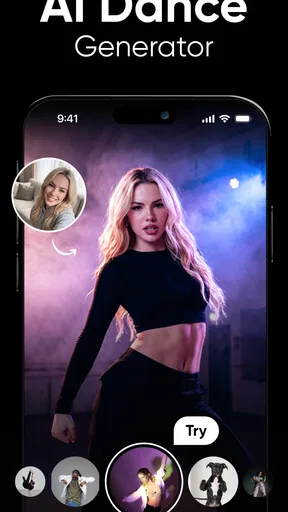
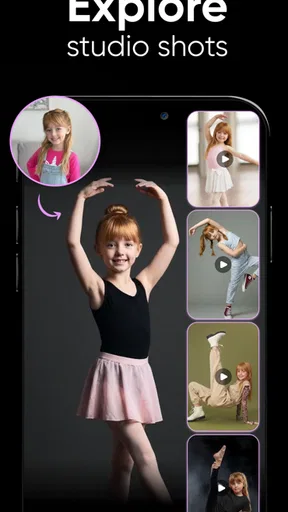
I look at a photo-based dance maker differently from a camera app: the main question is not whether it can teach me to dance, but whether it can turn one still image into a playful clip I’d actually want to share. Dance AI: AI Dance Video Maker is built around that quick creative payoff. It is a photography app from DeePix AI Apps, and its central idea is simple: start with a photo and let AI give the subject a dance-video treatment.
That makes it an appealing option for a low-effort joke, a greeting, or a social post when filming yourself feels awkward or impractical. It is not a substitute for recording a real performance, and I would not choose it when precise choreography or a documentary-style result matters. The fun is in seeing a familiar face appear in an unexpected format, not in pretending the generated movement is footage of an actual dance.
Choose it for a quick visual surprise
Before installing, I’d decide what I want the finished clip to do. If the goal is to make a friend laugh, add a lighthearted touch to a message, or experiment with an image without learning a video editor, this kind of tool makes sense. If I want to control camera movement, edit several shots together, or make a polished dance reel from real footage, a conventional video editor gives me more direct control.
The difference is useful to keep in mind: a photo-driven generator offers convenience and novelty, while a standard editor depends on footage I capture and choices I make myself. Neither approach is automatically better. For a spontaneous, shareable effect, I’d rather try a simple AI workflow; for a planned performance, I’d rather record the dancer and shape the result in an editor.
Getting Started with Dance AI
First things first, downloading the app was a breeze. Available on both Android and iOS, you can grab it off the Play Store or App Store without any hassle. Once installed, I dove right in, and let me tell you, the setup was surprisingly simple. The user interface is sleek and intuitive, which is a big plus if you’re not tech-savvy. After a quick sign-up, I was ready to create my very first AI-enhanced dance video.
Features that Make You Want to Move
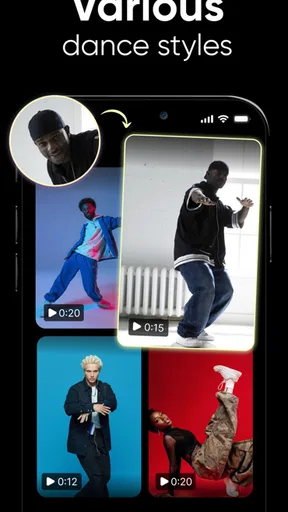
Alright, let’s talk features. Dance AI isn’t just about slapping a dance filter on your videos. It’s packed with some pretty cool tech that analyzes your movements and syncs them to a variety of dance styles. Whether you’re into hip-hop, salsa, or even ballet, the app’s got you covered. I tested it with a simple hand wave, and it turned my amateur move into a mini performance, complete with background music and effects.
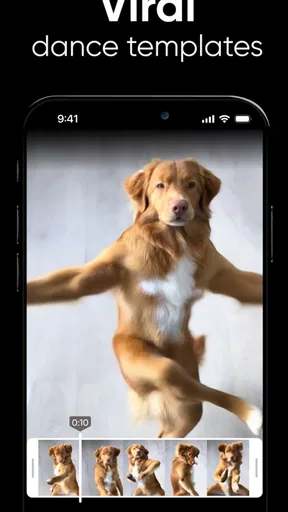
One feature I found particularly fun is the "Dance Challenge" mode. Here, you can compete with friends or other users by sharing your creations. It’s a great way to get creative and even discover new dance trends. Plus, the app regularly updates its song library, so there’s always fresh content to dance to.
Worth Reading Before You Choose

Baby Panda World Brings Quick Play to Modern Phones, but Its Game Library Feels Busy

ESPN’s Live Game View Makes Following Close Games Easier

QuizzLand Review: A Good Fit for Short Trivia Breaks, Not Every Player

Basketball Stars: Multiplayer Is Fast, but Can It Recover When Matches Go Wrong?

WEBTOON Turns Phone Updates Into a Better Reading Routine

Link to Windows Runs on Shared Habits, Not Social Feeds
There is one practical point I’d keep in mind before choosing an image: a clear, well-lit portrait with the subject easy to identify is a safer starting point than a busy group photo or a face partly hidden by hair, a hand, or a strong shadow. That is not a promise that every clean portrait will produce a perfect result; it is simply a way to avoid asking an image model to make sense of competing visual details. For a group greeting, I’d test one person first rather than assume a crowded frame will behave as intended.
I’d also treat the first render as a draft, not as a finished post. Check whether the face still looks recognisable, whether the movement feels amusing rather than distracting, and whether the clip suits the person in the photo. If it misses the mark, changing the source image is often a more sensible next step than repeatedly sharing a result you don’t like. This small review step matters especially when the image is of someone else: ask them before turning their likeness into a joke or posting it publicly.
AI Magic and Customization
Now, onto the magic behind the scenes: the AI. The artificial intelligence in Dance AI is impressive. It analyzes video inputs in real-time and applies dance moves that look surprisingly natural. I tried a few different clips, and the results were consistently good. The app allows for some customization, letting you tweak the intensity of the effects and choose different dance styles, which adds a personal touch to your videos.
If you’re worried about privacy, the app does a good job of ensuring your data is secure. It doesn’t store any personal videos unless you choose to share them, which is reassuring in this digital age.
Because the basic concept begins with a photo, I’d think about consent and context before uploading anything sensitive. A harmless selfie made for a private laugh is a different choice from a child’s picture, an ID-like portrait, or a photo someone else expected to remain private. I would avoid using images that could embarrass someone or reveal personal details, and I’d check the app’s current privacy information before deciding what to upload. The app is rated Teen, so families should still use their own judgement about whether its creative and sharing features suit a younger user.
A useful workflow is to keep the source image and intended audience in mind from the start: choose a photo you are comfortable using, make a short test, review the result, then decide whether saving or sharing makes sense. If your aim is simply to send a private joke, there is no need to turn every creation into a public post. That distinction helps keep the experience light and gives you more control over how your image travels.
Sharing Your Dance Creations
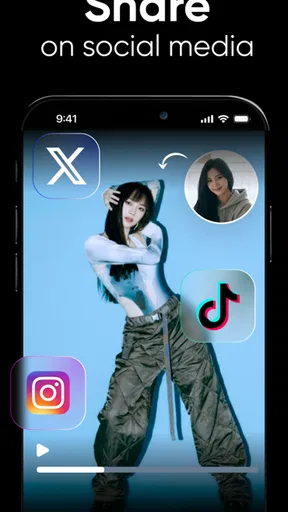
Sharing is caring, and Dance AI makes it super easy to export and share your creations. Once you’re happy with your video, you can save it directly to your device or share it across social media platforms like Instagram, TikTok, and Facebook. The seamless integration with social media is one of the app’s standout features, making it easy to show off your moves to the world.
For those who love a bit of community interaction, the app has a built-in social feed where you can check out other users’ creations, leave comments, and even get inspiration for your next video.
Here’s a realistic use case: I might make a playful birthday message for a friend who enjoys silly edits, using a portrait they have agreed I can use. I’d generate the clip, watch it once without rushing, and send it privately first. If they like it, we can decide together whether it belongs in a group chat or on a social profile. That approach gets the fun of a surprise without assuming that everyone wants their face turned into public entertainment.
For someone making regular social posts, the app’s appeal is speed and a distinctive premise, but it is worth comparing that with familiar alternatives. A template-based editor is usually the more predictable choice when I need text, cuts, and a consistent visual style. A camera-based dance app or manual video editor makes more sense when the person needs to perform the choreography themselves or when timing and shot selection matter. Dance AI sits in a different lane: it is for experimenting with a photo, not for replacing those more hands-on workflows.
What to expect before you commit
The app is free to download, with in-app purchases listed from $6.99 to $79.99 per item. I’d try the free experience before considering any purchase, then check exactly what an offered item unlocks and whether it fits how often I expect to use the app. A single amusing clip may not justify spending much; someone who enjoys making these edits repeatedly may weigh that differently. The range is broad enough that I would not tap through a purchase screen without reading its terms carefully.
Dance AI has an average rating of 4.4 from around 570 ratings, with about 150 written reviews, and it has passed 50,000 installs. Those figures suggest that people are trying it, but they cannot tell me whether a particular photo will animate well or whether I’ll enjoy the result. The current version is 1.0.4, it was released on January 31, 2026, and it requires Android 9 or later. I’d check device compatibility before downloading, especially if I’m using an older phone.
One trade-off with any one-photo transformation is that the source image sets a ceiling on the result. The app may make the idea feel effortless, but it does not remove the need to choose a suitable picture or judge whether the output looks right. If natural movement, exact likeness, or detailed editing is the priority, I’d use a tool built around recording and refining real footage instead. If the goal is novelty, I’m more forgiving of a result that feels stylised.
Wrapping It Up
So, what’s the verdict? Dance AI: AI Dance Video Maker is a fun and innovative app that brings a creative twist to video making. Whether you’re a seasoned dancer or just someone looking to have a bit of fun, this app offers something for everyone. With its intuitive design, robust features, and the power of AI, it’s a game-changer for anyone looking to add a bit of flair to their social media content.
Give it a go and see for yourself. Who knows, you might just discover your inner dancer!
Who I’d recommend it to
I’d recommend trying it if you enjoy playful image effects, want a quick idea for a message or post, and are happy to review an AI-made result rather than expect a precise performance. It is especially suited to people who already have a suitable portrait and want to see how a still image can become a short piece of entertainment. You do not need to be a dancer to understand the appeal, because the source is a photo rather than a routine you have to perform.
I’d skip it if you need reliable choreography, professional control over a video, or a result that must represent someone’s real movement accurately. I’d also pass if I were uncomfortable uploading a personal image to an AI service or if I had no interest in checking the output before sharing. For those priorities, recording a consenting subject and editing the footage locally or in a conventional editor is the more sensible route.
Overall, I see this as a focused creative toy rather than an all-purpose photography or video suite. Its strongest case is a quick, surprising dance transformation; its main trade-off is that the usefulness depends on the photo, the result, and how comfortable you are with the sharing workflow. If that balance suits you, the free download is an easy way to decide whether this particular kind of AI play belongs in your routine.
Pros
- Intuitive interface for easy video creation.
- Wide variety of dance styles available.
- Seamless integration with social media.
- High-quality video output and effects.
- Regular updates with new features.
Cons
- Requires a stable internet connection.
- Limited free version features.
- Ads can be intrusive at times.
- Occasional glitches in video rendering.
- High battery consumption during use.
FAQs for Dance AI: AI Dance Video Maker
What is Dance AI: AI Dance Video Maker?
Dance AI: AI Dance Video Maker is an innovative app that uses artificial intelligence to help users create captivating dance videos. Whether you’re a professional dancer or a beginner, the app offers tools to enhance your videos with AI-generated choreography, effects, and music synchronization. It’s perfect for social media sharing and creativity.
How does the AI feature work in Dance AI?
The AI feature in Dance AI analyzes your uploaded video and suggests dance moves that synchronize with your chosen music. It utilizes machine learning to understand rhythm and movement, providing a seamless blend of your dance with AI-generated choreography. This makes it easy to enhance your videos with stunning effects and professional-quality moves.
Is Dance AI suitable for beginners?
Yes, Dance AI is designed for users of all skill levels. Beginners will find the AI suggestions helpful to improve their dance skills, while advanced users can use the app to refine their choreography. The intuitive interface and step-by-step guidance make it accessible even for those new to dancing or video editing.
What are the device requirements for Dance AI?
Dance AI requires a device running on Android or iOS with a minimum of 2GB RAM for smooth performance. The app is optimized for newer devices to ensure high-quality video rendering and real-time AI processing. Users should also have sufficient storage space to save videos and download additional content packs.
Are there any in-app purchases in Dance AI?
Yes, while Dance AI offers a variety of free features, it also includes in-app purchases for advanced options like premium choreography packs, special effects, and additional music tracks. Users can choose to purchase these to enhance their video creation experience, but all basic functionalities are available for free.


